

Settings
Every InvAmp preference is on Home → Settings. Changes are saved straight away; there is no Save button. The page scrolls: the last groups are below the fold.
AutoSave reminder

Tick Remind me to save the open document 1 and set the interval in minutes 2. When the time comes and the active document has unsaved changes, InvAmp asks whether to save it. It never saves without asking.
Appearance

- Size 1 enlarges panels, buttons and dialogs, for high-resolution screens.
- Font 2 sets the typeface. Only fonts installed on this computer are listed.
The open page is rebuilt when you change either 3. Anything typed on it but not yet applied is lost.
Panels
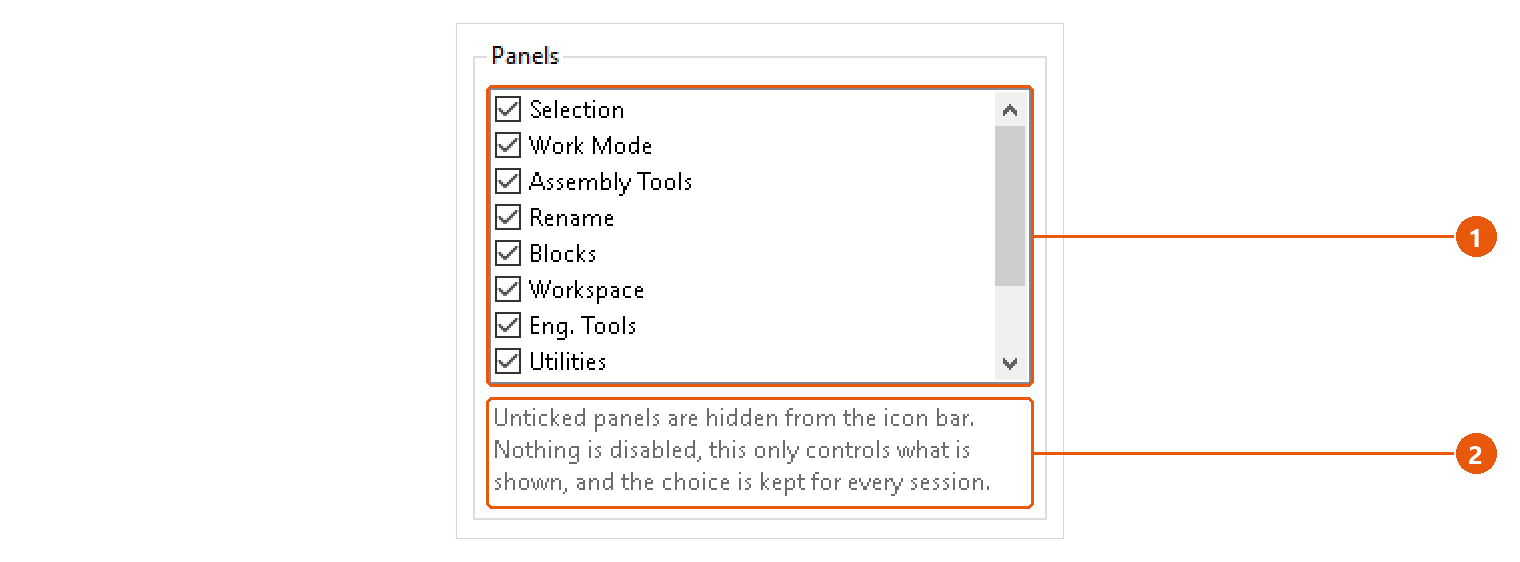
Untick a page 1 to hide it from the icon bar. Nothing is disabled: the choice only controls what is shown 2, and it is kept for every session. Home cannot be hidden.
Assembly tools
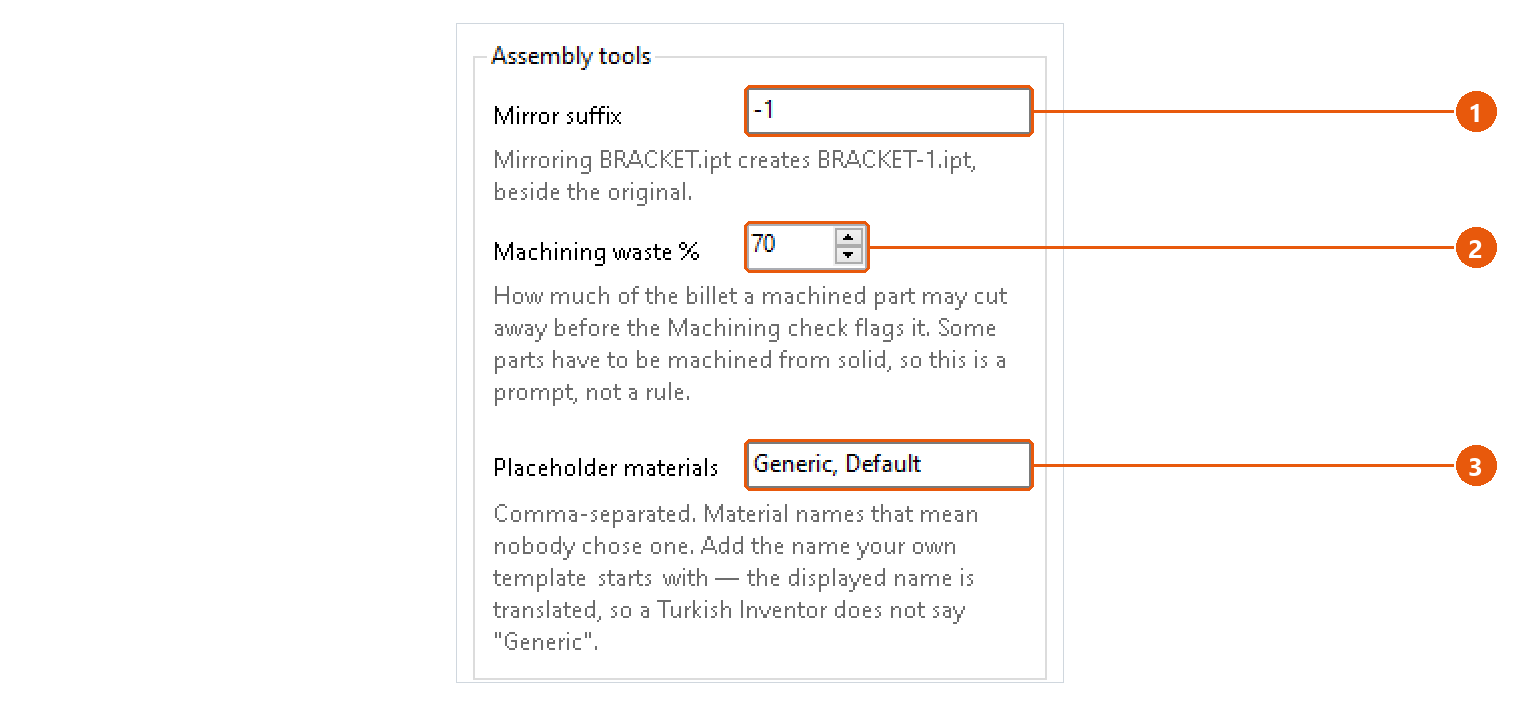
| Setting | Used by |
|---|---|
| Mirror suffix 1 | Assembly Tools → Mirror part. Added to the source name: BRACKET.ipt becomes BRACKET-1.ipt. |
| Machining waste % 2 | Assembly Tools → Check → Machining. Above this share of the billet cut away, a part is flagged. 70 % by default. |
| Placeholder materials 3 | Assembly Tools → Check → No material. Comma-separated material names that mean nobody chose one. Generic, Default by default. |
Drawing
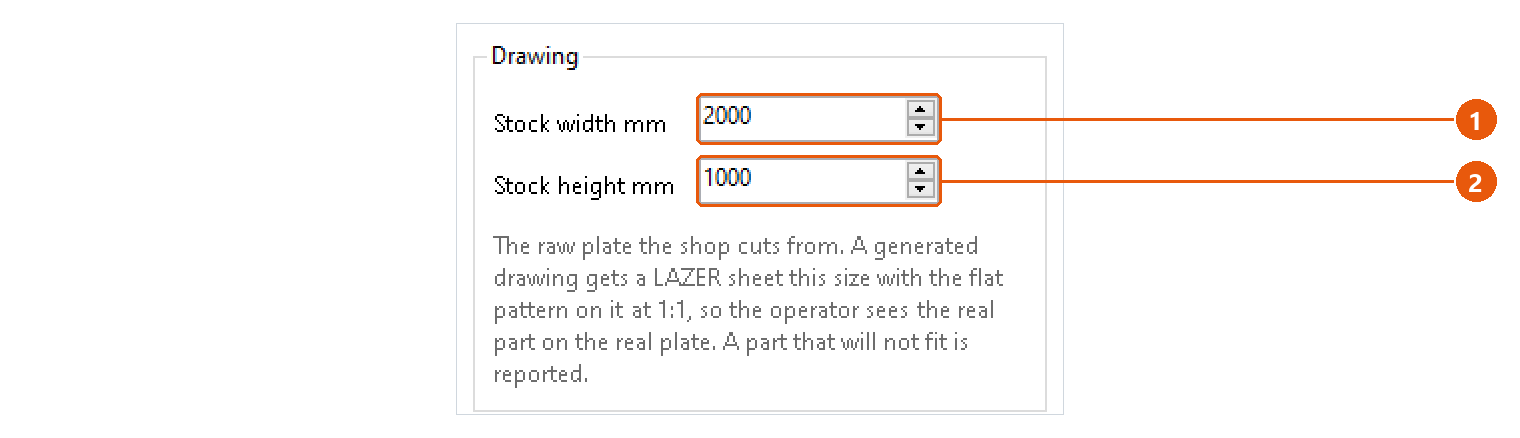
Stock width mm 1 and Stock height mm 2 are the raw plate the shop cuts from. A generated sheet metal drawing gets a sheet this size with the flat pattern on it at 1:1, so the operator sees the real part on the real plate. A part that does not fit is reported.
Google account
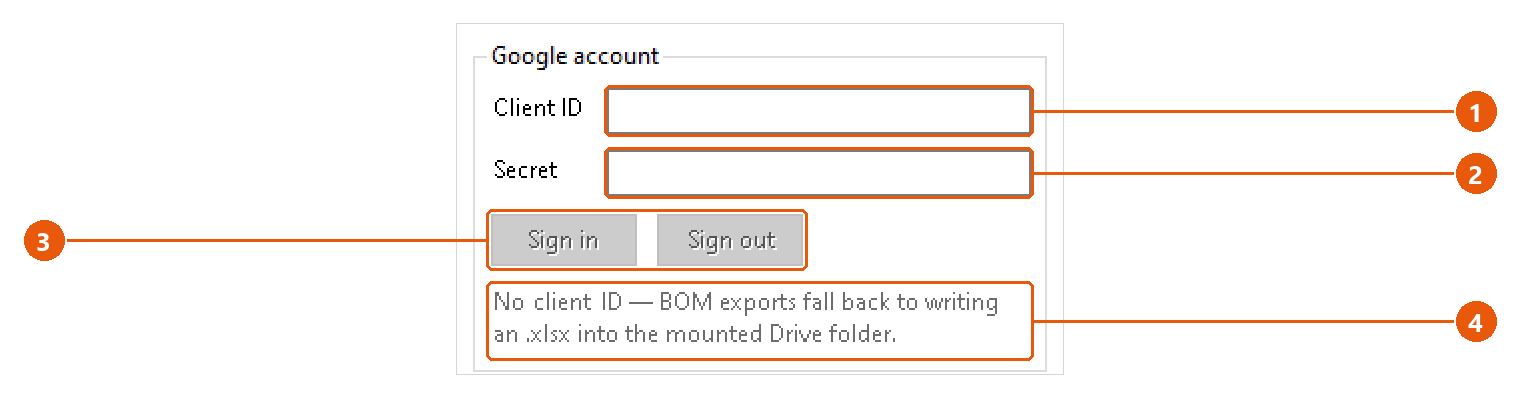
Needed only to export a BOM straight into Google Sheets.
- Enter your own Google OAuth Client ID 1 and Secret 2.
- Press Sign in 3 and complete the sign-in in your browser. Sign out forgets the account.
The status line 4 says whether the account is set up and signed in. Without a client ID, a BOM headed for Google Sheets is saved as an .xlsx into your Google Drive folder instead.
Support
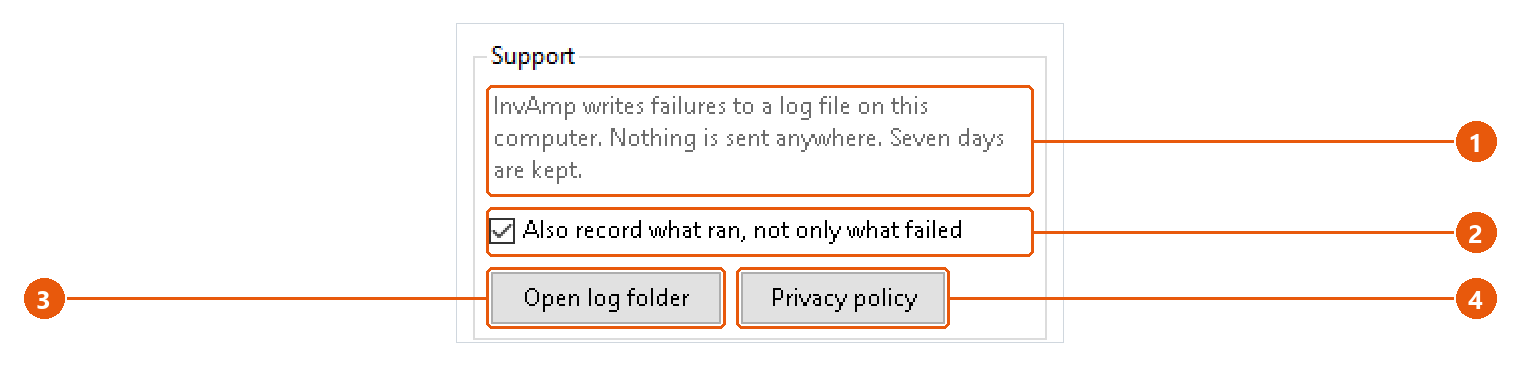
InvAmp writes failures to a log file on this computer 1. Nothing is sent anywhere, and seven days are kept.
- Tick Also record what ran, not only what failed 2 when support asks for a fuller log. It takes effect at once.
- Open log folder 3 shows the log in Windows Explorer.
- Privacy policy 4 shows the policy that ships with InvAmp. It opens without an internet connection.