

Installation and requirements
Requirements
- Autodesk Inventor 2024, 2025 or 2026, on 64-bit Windows.
- Nothing else. InvAmp installs two files,
InvAmp.dllandInvAmp.addin, and writes nothing to the Windows registry.
Install with InvAmp-Setup
InvAmp is installed with InvAmp-Setup.exe. Ask for it with the request form on invamp.net.
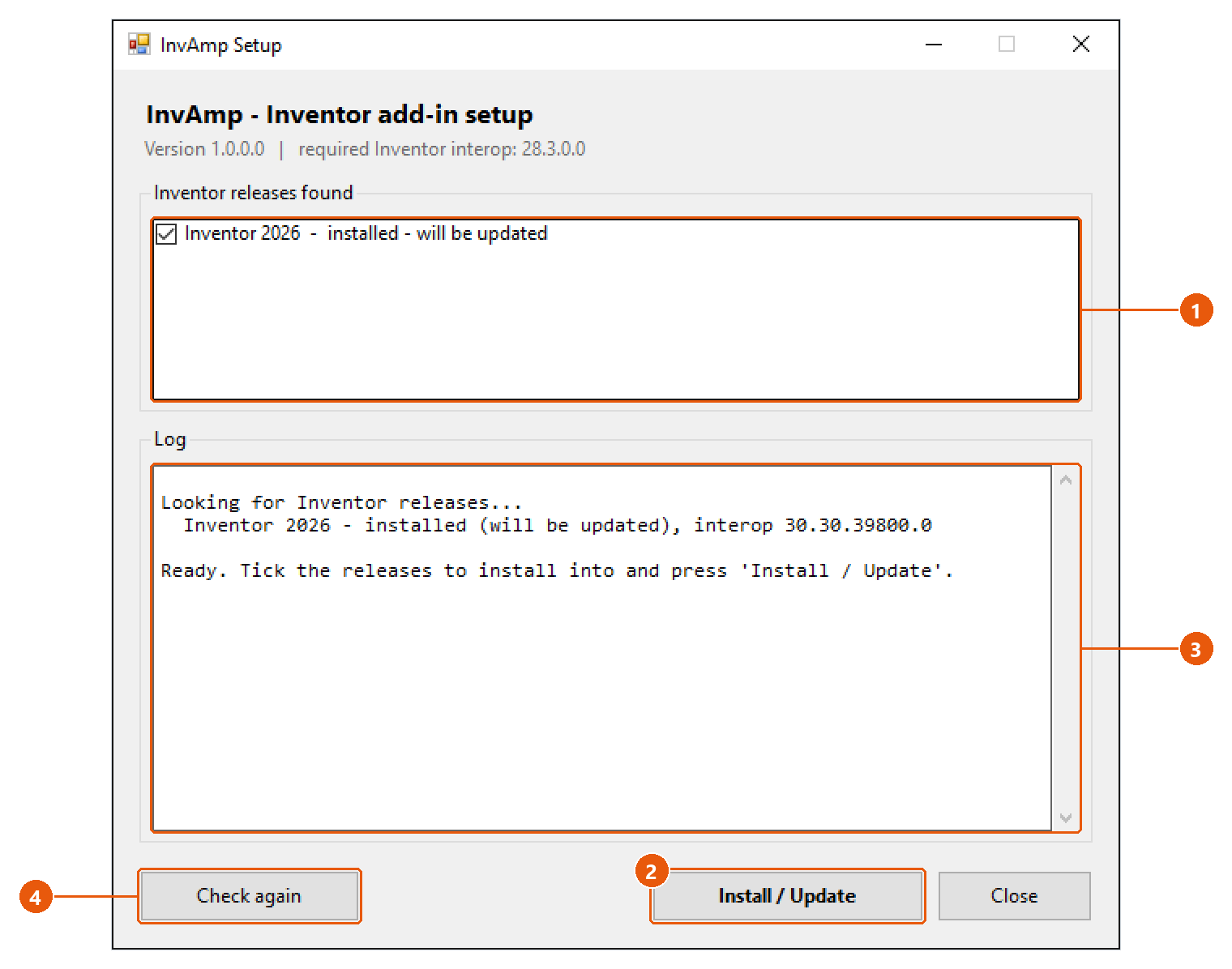
- Close Inventor. The setup cannot replace the add-in while Inventor has it loaded.
- Run
InvAmp-Setup.exe. It lists every Inventor release it finds on the computer 1, and whether InvAmp is already installed there. - Tick the releases to install into, then press Install / Update 2.
- Read the log 3. It names the folder each file was written to, and checks each file after writing it.
- Start Inventor.
The setup copies the files into %APPDATA%\Autodesk\Inventor <version>\Addins. Run it again to update an existing installation.
Note:The setup refuses to install while Inventor is running, and says so. Close Inventor completely and press Check again 4.
Note: A release older than the one InvAmp was built for is marked INCOMPATIBLE: Inventor could not load the add-in there.
Check that InvAmp is loaded
- In Inventor, open Tools → Add-Ins.
- Find InvAmp in the list. Make sure it is loaded and Load Automatically is ticked.
Remove InvAmp
Close Inventor and delete InvAmp.dll and InvAmp.addin from the Addins folder above. The setup has no uninstall option of its own.