

Eng. Tools — calculators and tables
Eng. Tools has two tabs: cylinder force calculators, and standard part tables you can filter and extend.
Calculate a pneumatic cylinder
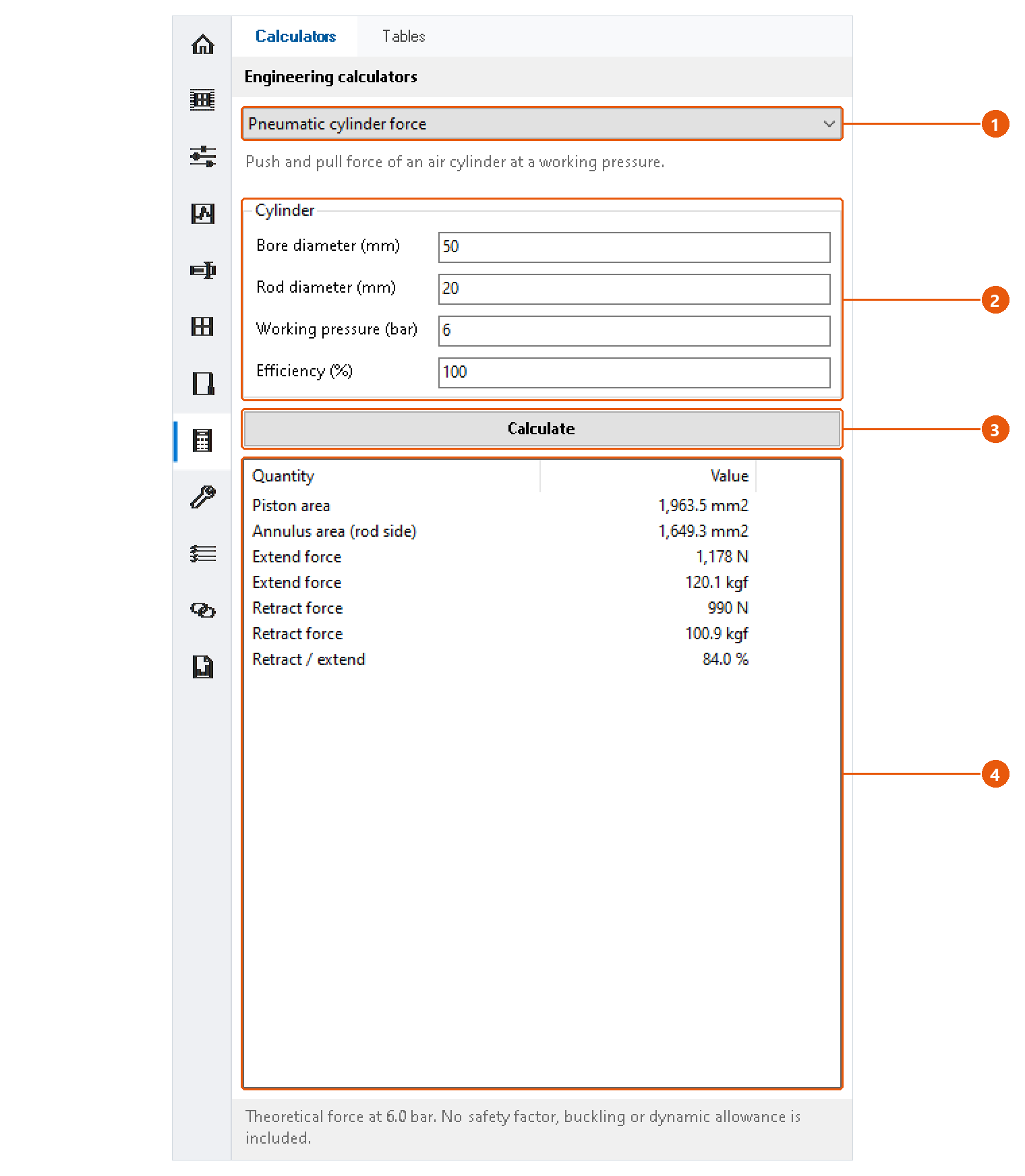
- Click Eng. Tools in the icon bar, then the Calculators tab.
- Choose Pneumatic cylinder force 1.
- Enter the bore and rod diameters, the working pressure and the efficiency 2.
- Press Calculate 3.
- Read the results 4: piston and annulus area, extend and retract force in newtons and kilograms-force, and the ratio between them.
Calculate a hydraulic cylinder
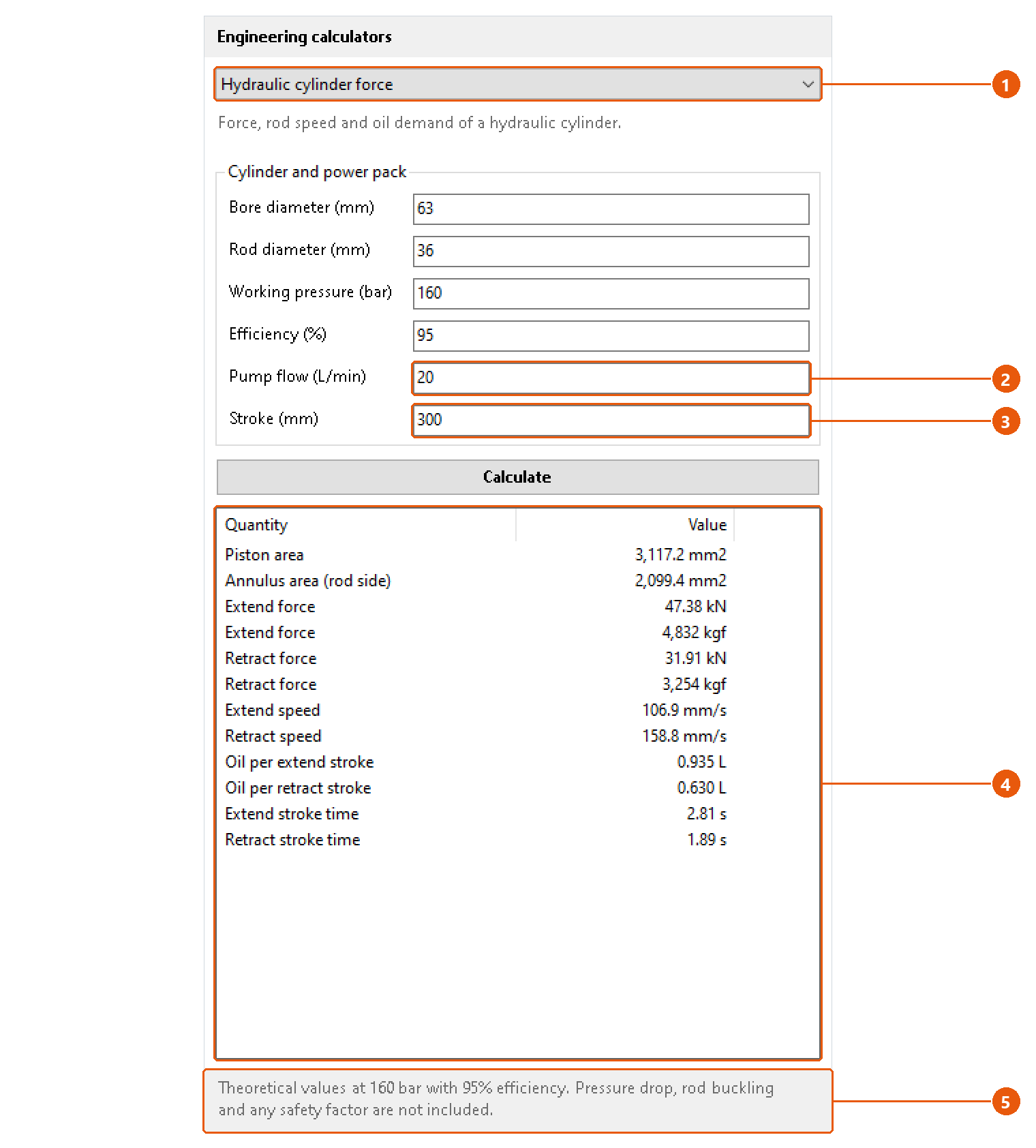
- Choose Hydraulic cylinder force 1.
- Enter the cylinder data, then the pump flow 2 and the stroke 3.
- Press Calculate.
- Read the results 4: forces in kilonewtons and kilograms-force, rod speeds, the oil used per stroke and the stroke times.
The status line 5 repeats the pressure and efficiency the figures were calculated at.
Note:The values are theoretical. Pressure drop, rod buckling, dynamic loads and safety factors are not included.
Tip: Each calculator keeps its numbers while Inventor runs, so you can switch between them without retyping.
Look up a standard part
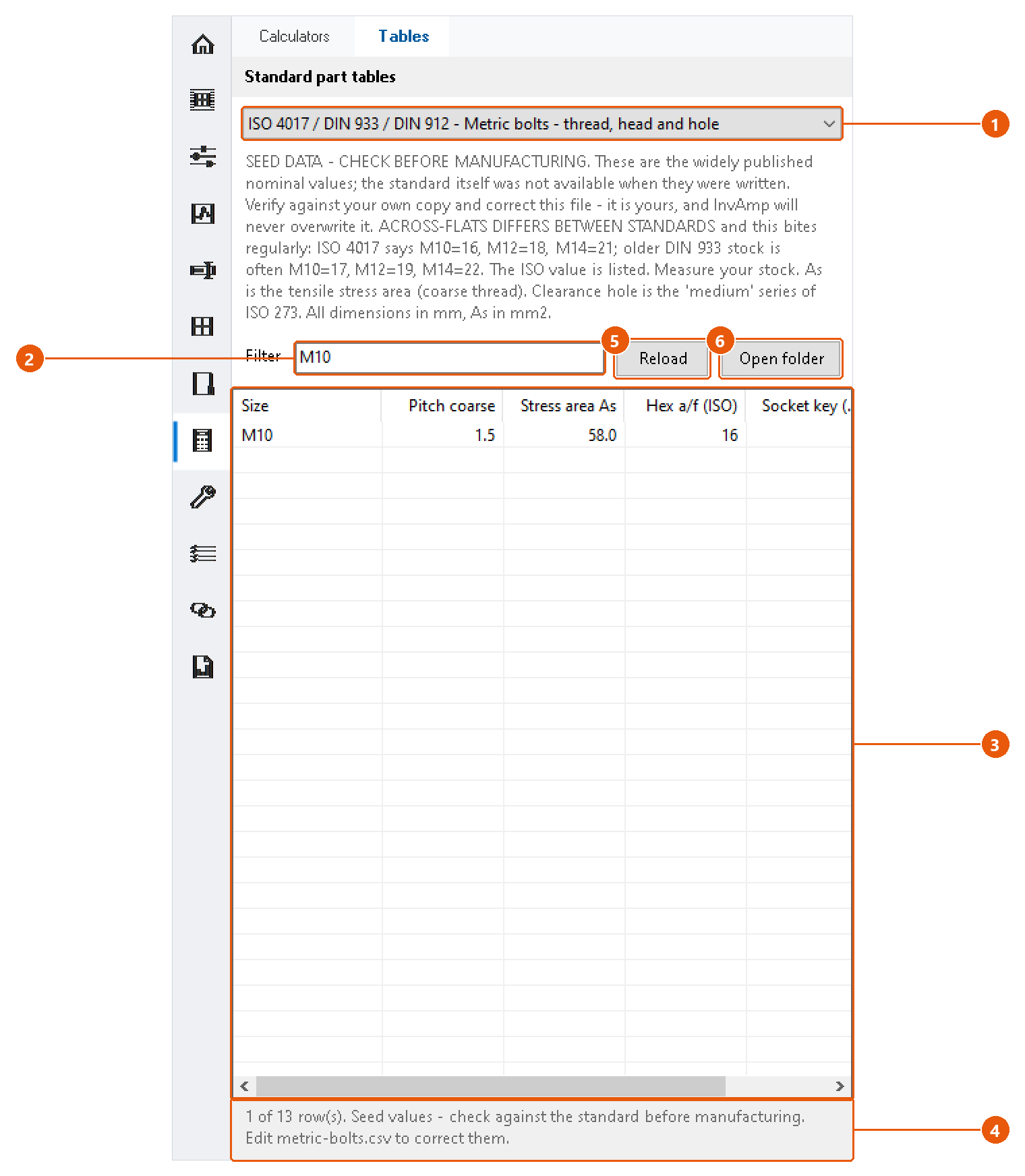
- Click the Tables tab.
- Choose a table 1. InvAmp comes with three: DIN 471 retaining rings for shafts, DIN 6885 parallel keys and keyways, and metric bolts (thread, head and hole).
- Type in Filter 2 to show only the rows that contain that text, for example
M10. - Read the rows 3. The status line 4 says how many rows match.
Note:The tables are seed data. Check them against your own copy of the standard before you manufacture to them.
Correct or add a table
The tables are CSV files in %APPDATA%\InvAmp\tables. InvAmp never overwrites them, so your corrections stay.
- Press Open folder 6.
- Edit a file, or add your own. Separate the columns with semicolons (
;), so a decimal comma never splits a value. A line#!title: ...gives the table its name, and#!standard: ...the standard it follows. - Press Reload 5.
If you delete one of the three built-in files, InvAmp writes it again the next time the page loads.