

Rename — naming groups
A naming group hands out numbered names in a fixed format, for example FLB_001, FLB_002. Pick a group on the Rename tab and the next name appears in the name box.
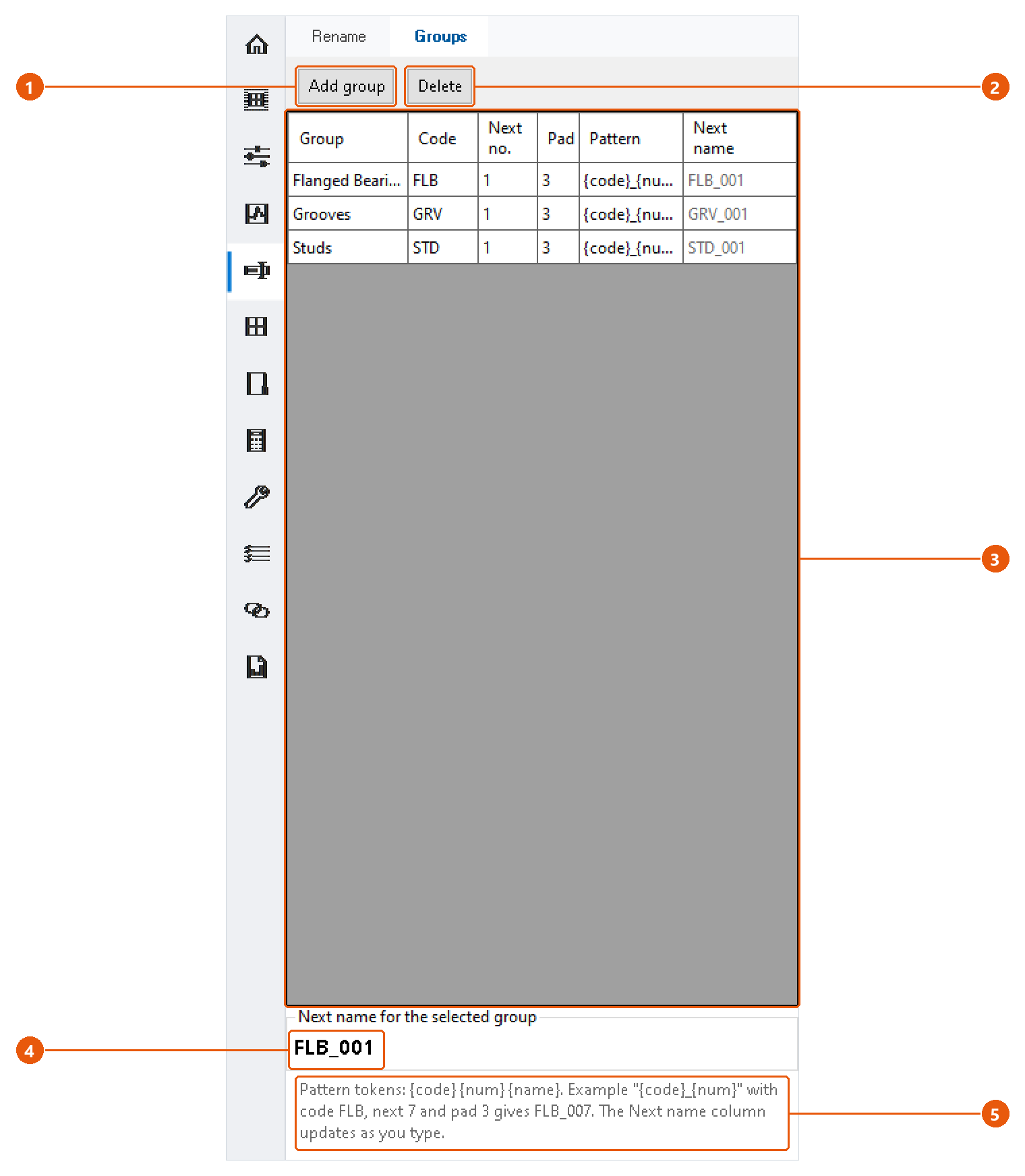
Set up a group
- Click Rename in the icon bar, then the Groups tab.
- Press Add group 1, or edit a row of the table 3 directly.
- Fill in the columns:
| Column | Meaning |
|---|---|
| Group | The name shown in the list on the Rename tab. |
| Code | A short code used in the name, for example FLB. |
| Next no. | The number the group hands out next. |
| Pad | How many digits the number gets. 3 turns 7 into 007. |
| Pattern | The name template. |
| Next name | The name the group will produce next. Read-only; it updates as you type. |
- Check the next name for the selected group 4.
The pattern can use three tokens 5: {code}, {num} and {name}. Anything else is copied as it is. The default pattern {code}_{num} with code FLB, next number 7 and pad 3 gives FLB_007.
To remove a group, select it and press Delete 2, then confirm.
When does the number move on?
The group's number goes up by one only when the name you rename or duplicate to is exactly the name the group offered. If you edit the name before applying it, the number stays where it is, so no number is skipped.
InvAmp comes with three example groups: Flanged Bearings (FLB), Grooves (GRV) and Studs (STD).