

Assembly Tools — placement and mirror
The Placement section constrains components in fewer clicks than Inventor's own Constrain command. Mirror part makes a mirrored twin of a part. Open an assembly, then click Assembly Tools in the icon bar.
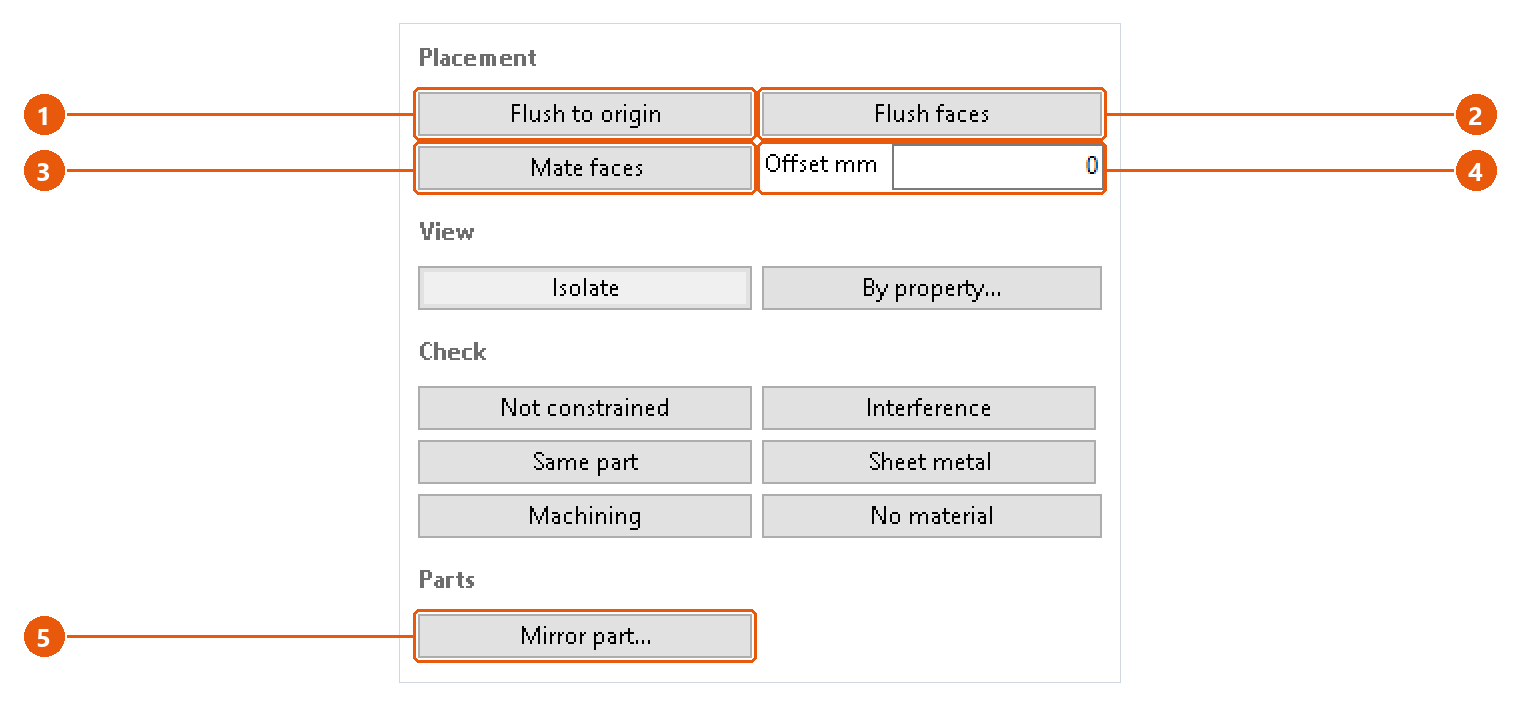
Drop a component onto the assembly origin
- Select one component in the browser or the graphics window.
- Press Flush to origin 1.
InvAmp flushes the component's XY, XZ and YZ origin planes against the assembly's, which lands it on the assembly origin. If a plane would over-constrain the component, InvAmp skips it and names it on the status line.
Note:A grounded component cannot be constrained. Unground it first.
Line up several parts with one face
- Click the face everything should line up with. Pick this one first: it is the reference.
- Ctrl-click one face on each part that has to line up with it.
- Set the gap in Offset mm 4. 0 puts the faces together; a negative number goes the other way. An empty box counts as 0.
- Press Flush faces 2 or Mate faces 3.
| Button | Result |
|---|---|
| Flush faces | The faces become coplanar and point the same way, like two backs in one plane. |
| Mate faces | The faces touch and point at each other, like a plate landing on a base. |
The status line says how many faces were constrained. If Inventor refuses one constraint, the run continues and the message names the part that did not move.
Note:The offset accepts both 1.5 and 1,5. Anything else stops the run.
Make a mirrored part
- Select a part in the assembly. Mirror works on parts, not on subassemblies.
- Press Mirror part... 5.
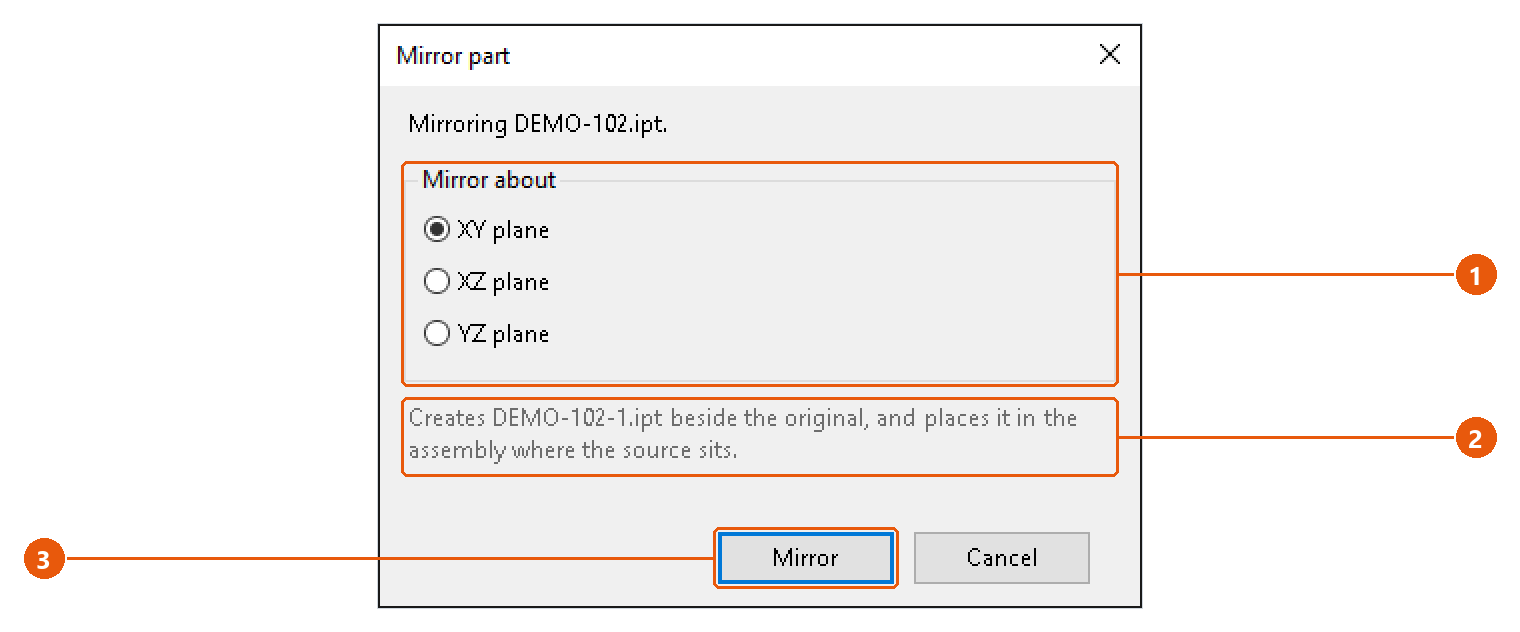
- Choose the mirror plane 1: XY, XZ or YZ.
- Read the line below 2. It names the file that will be created.
- Press Mirror 3.
InvAmp copies the source file, so the twin keeps its iProperties and template. It empties the copy of its features, sketches and parameters, then derives the original back in, mirrored about the chosen plane. The twin is placed in the assembly where the source sits and is left selected. No constraints are added.
The twin's name is the source name plus a suffix, -1 by default. Change the suffix in Home → Settings → Assembly tools.
Note:InvAmp never overwrites a file. If the twin's file already exists, the dialog says so and Mirror stays disabled.