

Utilities — tools for the active document
The upper part of Utilities works on the document you have open: its parameters, its drawing, a PDF, and its work planes and axes.
See every parameter
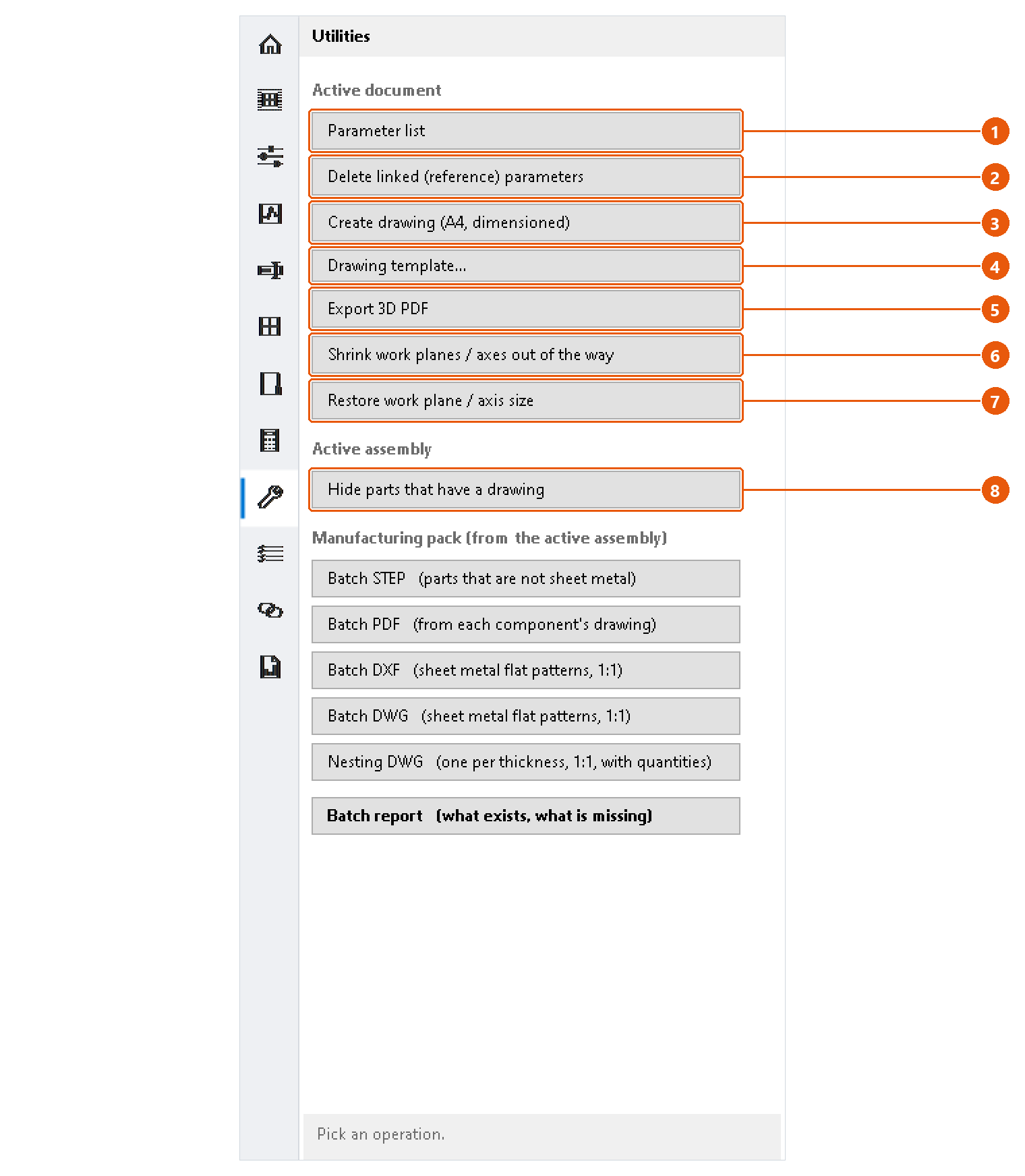
Press Parameter list 1. Every parameter of the active document opens in a window; see the end of this page.
Remove linked parameters
Press Delete linked (reference) parameters 2 and confirm. InvAmp deletes every reference parameter from the active document and says how many.
Note:This cannot be undone from InvAmp. Use Inventor's Undo, or close the document without saving.
Create a drawing
- Select a part in the assembly, or make the part the active document.
- Press Create drawing (A4, dimensioned) 3.
- The first time, choose your drawing template. InvAmp remembers it. Use Drawing template... 4 to change it later.
InvAmp writes the drawing beside the model as <model>.idw and saves it. What it draws depends on the kind of part, and the status line says which layout it chose. Anything it could not finish, and any drawing rule the finished sheet breaks, is listed on the status line in orange.
InvAmp decides the layout from the model:
| Model | Drawn as |
|---|---|
| A part made with sheet metal features | Sheet metal |
| A turned part, round about one axis | Shaft, with an axial section |
| Any other part | Plate |
| An assembly | Assembly |
A part saved in the sheet metal template but made without any sheet metal feature, such as a revolved ring, is drawn by its shape, not as sheet metal.
Export a 3D PDF
Press Export 3D PDF 5, choose where to save, and press Save. The default name is <document>_3D.pdf.
Note:InvAmp uses Inventor's own PDF translator. Whether the result is a true 3D PDF depends on Inventor's PDF options for the document type.
Tidy up work planes and axes
- Shrink work planes / axes out of the way 6 collapses the selected work planes and axes to nothing. They stay where they are, so they still work as references.
- Restore work plane / axis size 7 gives them back to Inventor's automatic sizing.
With nothing selected, InvAmp offers the whole document and says how many features that is. Origin planes and axes are never touched.
Hide parts that already have a drawing
- Open an assembly.
- Press Hide parts that have a drawing 8.
- Choose the folder that holds the drawings.
Parts with a drawing are hidden, so what stays on screen still needs one. A drawing counts when it has the part's file name, as .idw or .dwg, in that folder or beside the part.
The parameter list window
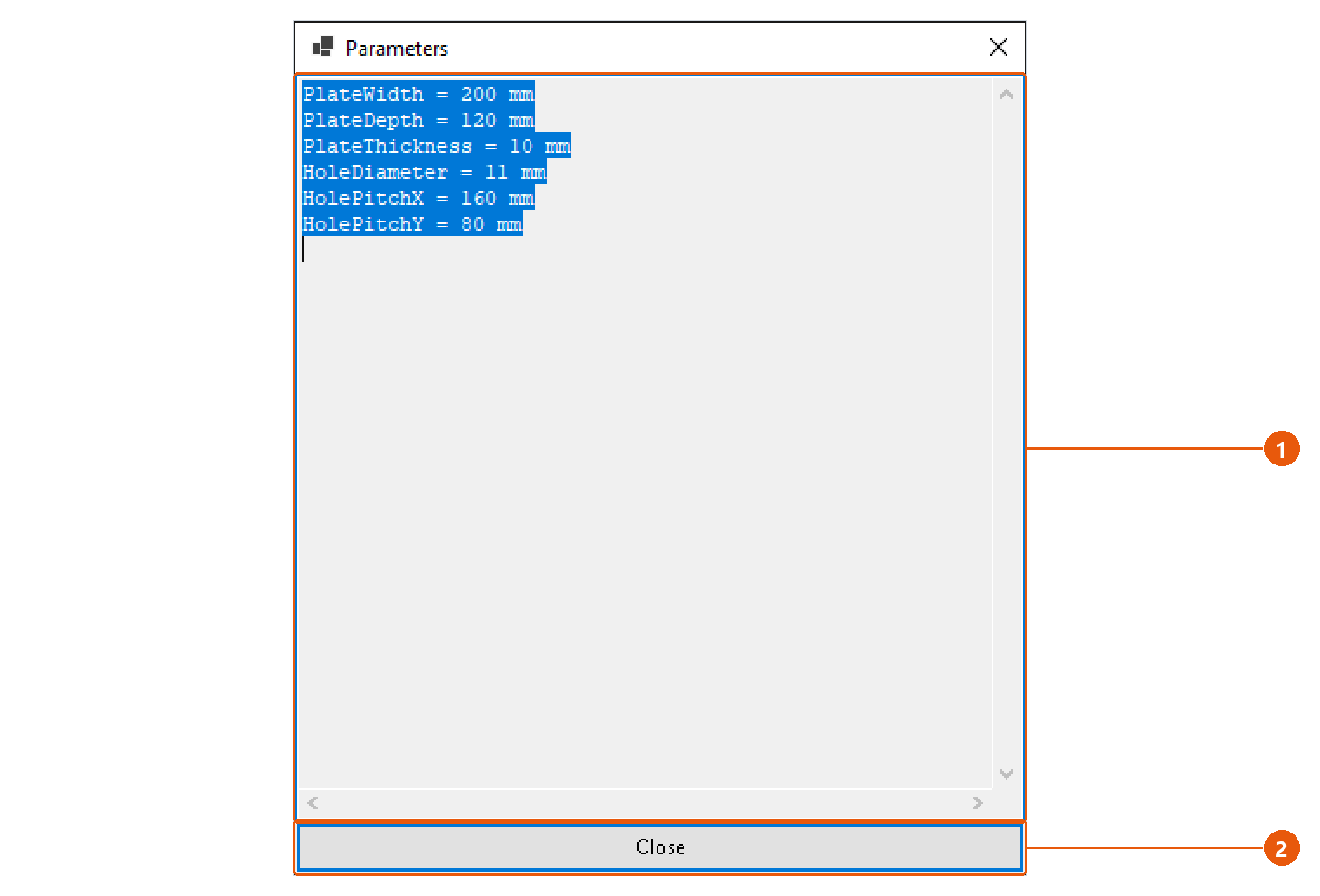
- Read the list 1. Each line is
name = expression; select and copy the text if you need it elsewhere. - Press Close 2. The status line says how many parameters there are.